Your own @mailkodo.com address.
No domain to buy, nothing to set up, no OVOKODO account needed. Pick a name; your mailbox opens on a real mail server.
Diagram: the chosen username joins the domain and becomes an envelope; IMAP and SMTP badges below.
Webmail, as it is
This is not a mock: it is the real mailbox screen. Folders, search, reading pane and attachments; everything is here until you set up your own client.
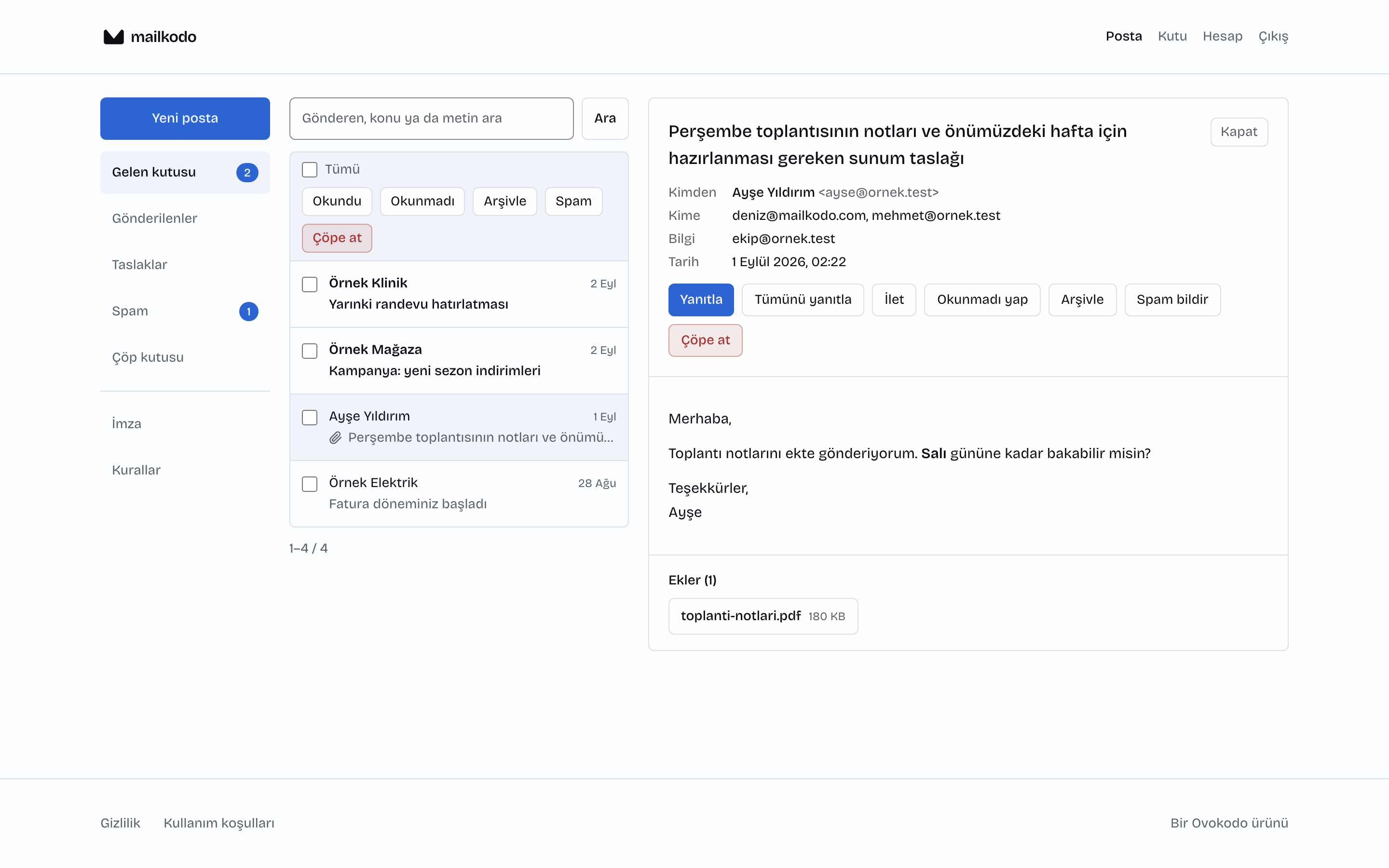
A real mailbox
Not a forward or an alias. You get the mailbox password; connect Mail, Outlook or Thunderbird over IMAP and SMTP; server and ports are in your panel. 1,024 MB quota.
The password is yours alone
The mailbox password lives only on the mail server. It is shown once; after that it can only be reset.
Delete really deletes
Deleting a mailbox deletes it from the mail server too; no hidden mailbox keeps receiving mail.
What it does not do
- No calendar, contacts or auto-reply. You read, write and file your mail here; use the webmail interface for these three.
- One address per account. Accounts opened in bulk on a shared domain burn the server's reputation, and at that moment everyone's mail drops into spam.
- The address cannot be changed. It is given once; reassigning a released address would mean someone else's mail reaching you.
- Your own domain is still better. Your own domain sends your mail under your identity and lets you open as many accounts as you need. The address here is an entry point.
1,024 MB
Quota
1
Addresses per account
200 (first 7 days: 30)
Sends per day
50
Recipients per mail
Your own domain is still better.
Tell us your mailbox count and migration needs; scope and price are confirmed before setup.
Your domain is verified and the records shown on screen.
Open as many addresses as the team needs.
Screens, filters and signature stay the same.